


How to Activate Your Priority Pass: The Airport travel industry is undergoing major changes which have led to better travel experiences for people who travel frequently. Priority Pass is a worldwide airport lounge access program that millions of travelers use as their main solution to airport lounge access. The next step for users who received a Priority Pass card through credit card or travel program or direct membership is to complete online activation of their card.
What Is Priority Pass?

Priority Pass provides travelers access to more than 1000 airport lounges from its independent airport lounge access program which serves as one of the largest global networks. The service enables members to access airport lounges which operate throughout the world without any restrictions based on their chosen airline or ticket category.

Priority Pass members gain entry to more than 1800 airport lounges and travel venues which provide complimentary snacks and comfortable seating and Wi-Fi and business spaces across the globe.

Banks and financial institutions give their premium credit card customers free Priority Pass membership through their premium credit card programs. Users need to complete online account activation after receiving their card because they need this step to use digital functions and handle their membership account.
Best Priority Pass Lounges

According to the official Priority Pass website, the most popular airports for Priority Pass members are the following:
- Bangkok Suvarnabhumi International (BKK)
- Kuala Lumpur International (KUL)
- Tokyo Narita International (NRT)
- London Gatwick (LGW)
- London Heathrow (LHR)
Why You Need to Activate Your Priority Pass Account?

Your account needs activation because it provides extra features beyond your existing lounge access rights.
After activation, members can:
- Access their Digital Membership Card
- Track lounge visit history
- Update personal details
- Discover newly added lounges and travel experiences
- Rate airport lounges and services
How to Activate Your Priority Pass at Prioritypass.com?
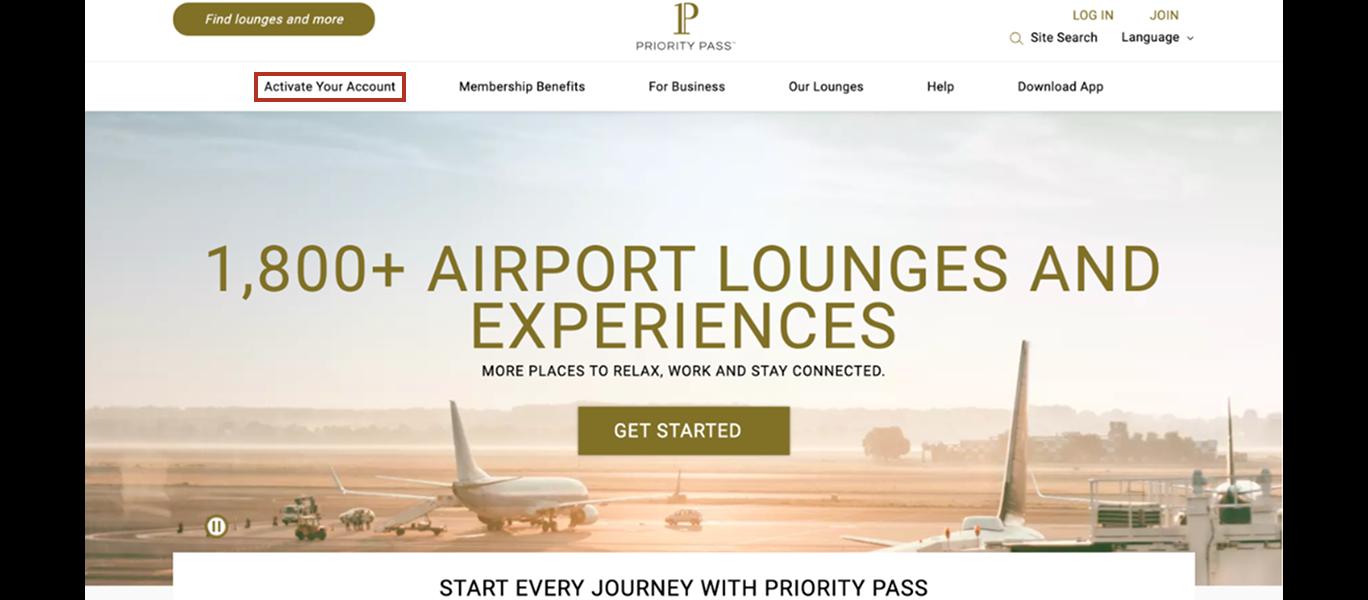
1. Visit the Activation Page
Open the official Priority Pass website and navigate to the Activate Your Account section.
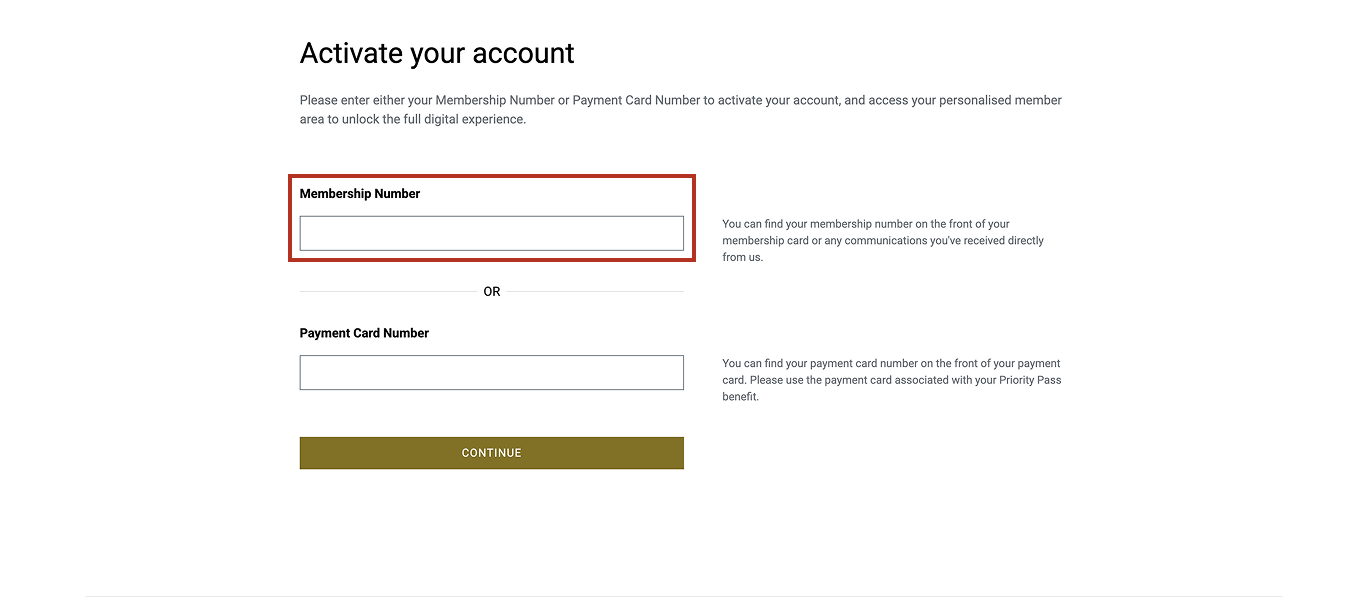
This page allows you to begin the registration process using either:
- Your Priority Pass membership number
- The payment card linked to your membership
2. Enter Your Membership Details
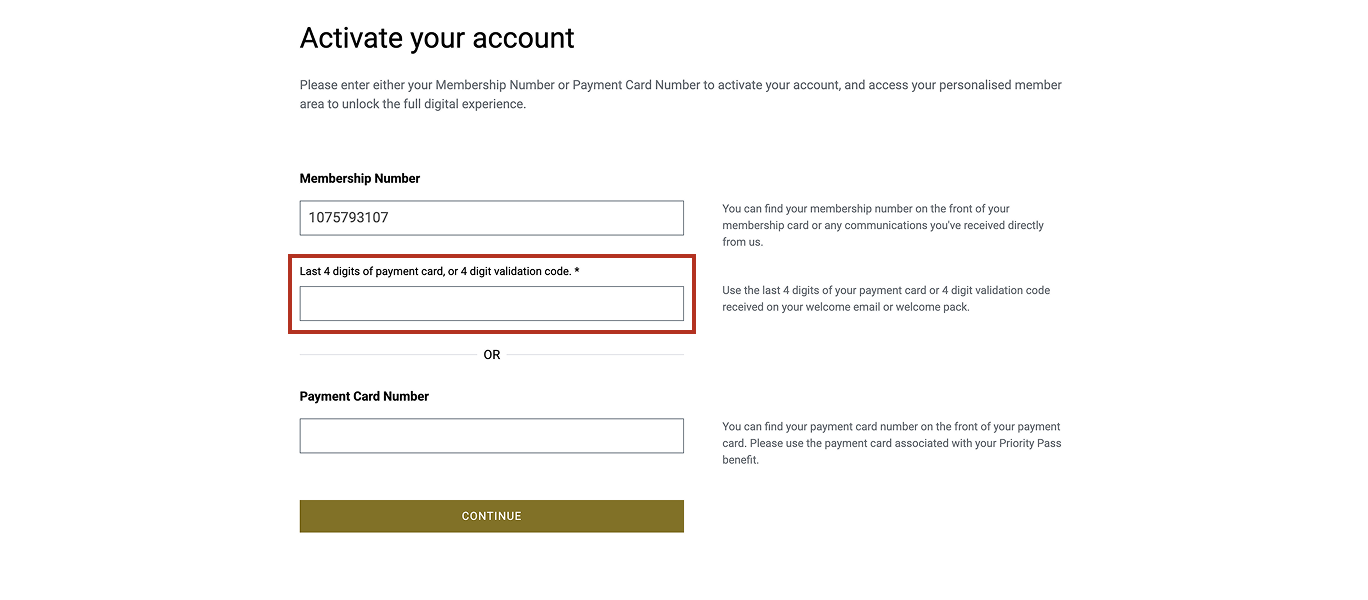
On the activation page, you will be asked to provide identification details such as:
- Membership number
- Payment card number linked to the program (in some cases)
3. Enter the Validation Code or Web PIN
After entering the membership information, the system will ask for a validation code or Web PIN.
This code helps verify your identity and ensures the account is activated by the legitimate cardholder. Once entered correctly, proceed to the next step.
4. Create Your Online Account
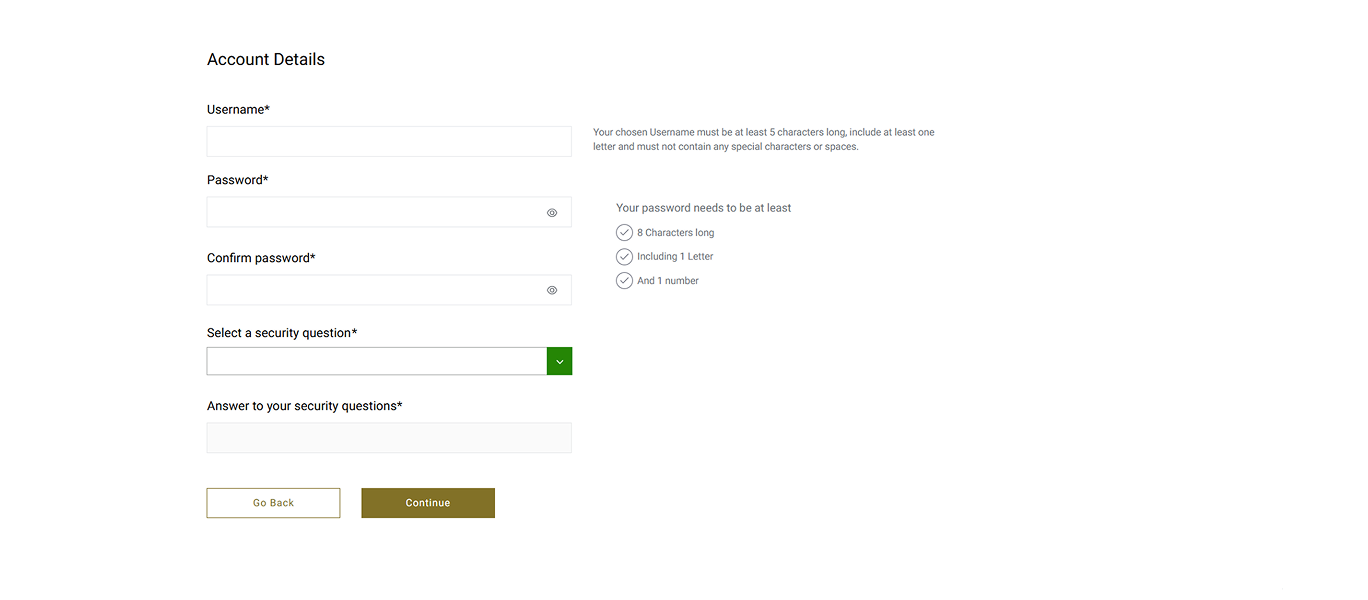
The system will then prompt you to create your personal login credentials.
- During this step you must:
- Choose a username
- Create a secure password (minimum 8 alphanumeric characters)
- Enter your email address
- Select a security question and answer
5. Confirm Activation
Once all details are submitted, your online account will be created successfully.
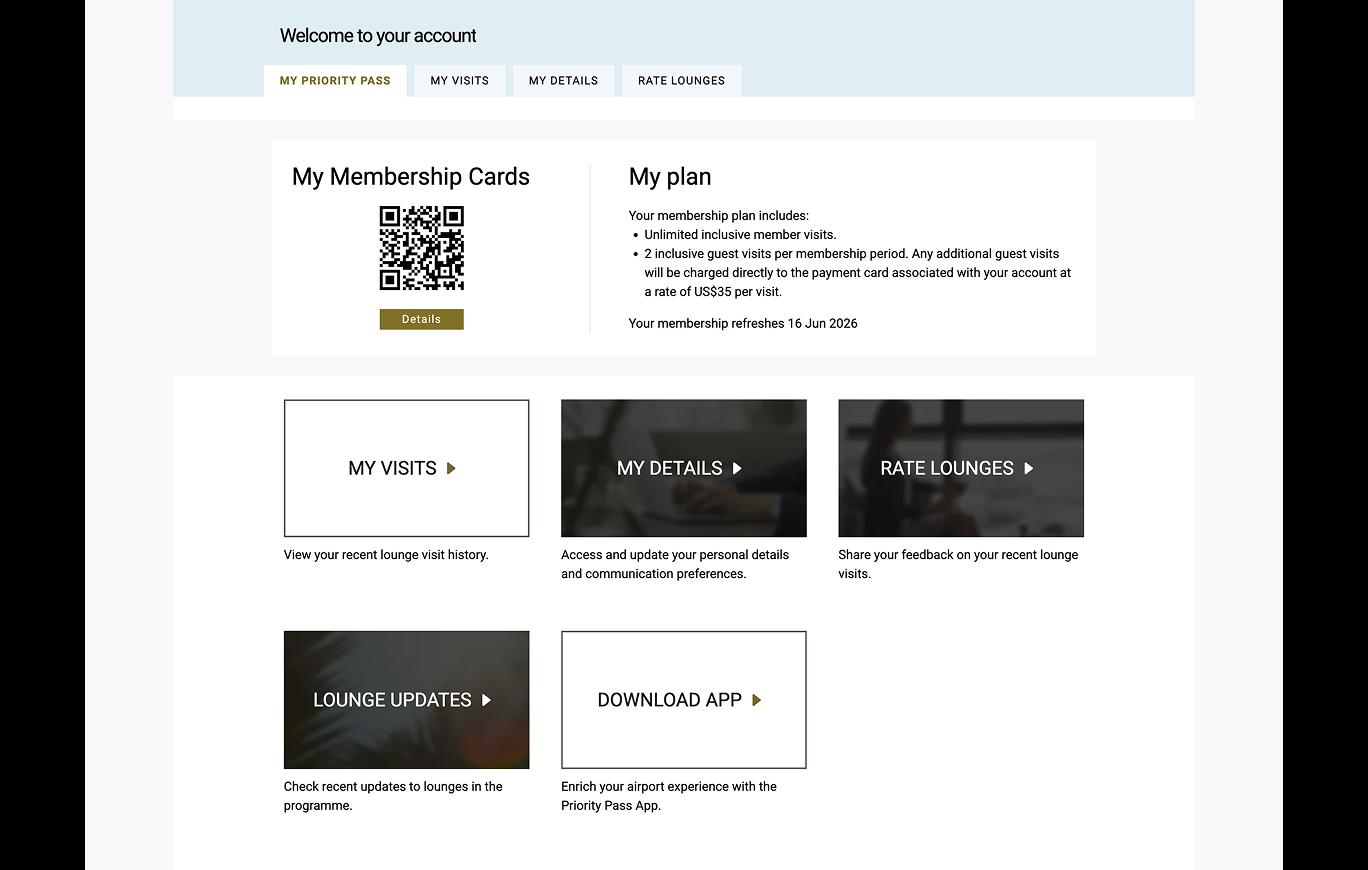
You can now log in using the username and password you just created and begin using your Priority Pass membership online.
How to Access Your Digital Membership Card?
To activate the digital card:
1. Download the Priority Pass mobile application.
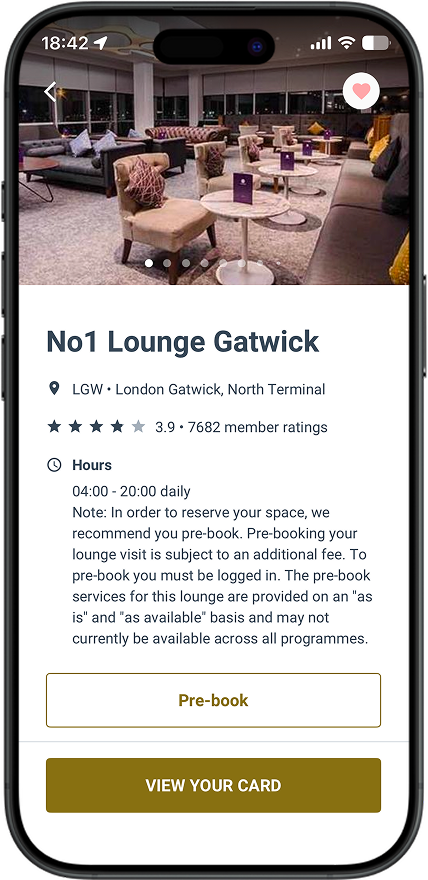
2. Log in using the credentials created during activation.
3. Open the Card section in the app.
4. Follow the on-screen instructions to enable the digital card.
Priority Pass Membership Renewal
Your Priority Pass membership will be renewed automatically every 12 months from the approval date. During the renewal process, we will validate your eligibility and will inform you of your complimentary visit entitlement via SMS prior to the expiry of your current Priority Pass membership.

A new physical card will be mailed to you when your Priority Pass membership is renewed, and your new expiry date will be reflected in your Priority Pass account. To prevent disruption to your visit during renewal period, please utilise your digital Priority Pass membership card until you receive your physical card.
Please note that if your Standard Chartered Priority Banking Visa Infinite Credit Card, Visa Infinite Credit Card or Journey Credit Card is cancelled, your Priority Pass membership will not be renewed and the Bank will cease the usage of your Priority Pass membership with immediate effect without any notification.
Guide to Activate Securemaxxia Card on Maxxia’s Activation Portal
Common Problems During Priority Pass Activation

Invalid Membership Number: If the membership number is rejected, double-check that you are entering the number printed on the Priority Pass card rather than your credit card number.
Bank-Issued Membership Not Recognized: Some memberships issued through banks require activation through the bank’s portal first before the Priority Pass account can be created.
Digital Card Not Available: Certain bank partnerships do not support digital membership cards. In such cases, travelers must carry the physical Priority Pass card when visiting airport lounges.
Benefits of Activating Your Priority Pass Account
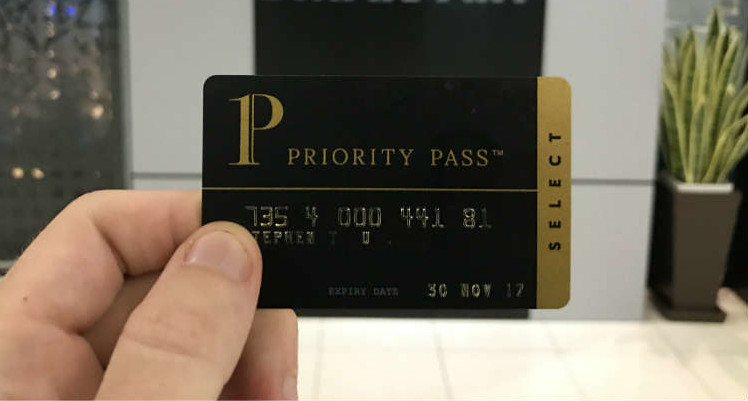
Key benefits include:
- Access to a global network of 1,800+ airport lounges
- Comfortable seating and relaxation areas
- Free snacks and drinks and Wi-Fi access to its customers
- Provides travelers with current travel information and available lounge status updates
The digital membership card enables members to enter the facility with fast access rights.