
iPhone 16 Bluetooth Keeps Disconnecting in Car: Some users of the iPhone 16 report that their devices establish Bluetooth connections with their cars but do not transmit any audio. The connection problems happen because the system drops connections without warning while audio playback becomes distorted and the phone connects only for calls.
User discussions on the official Apple Support Community and Apple Support troubleshooting advice show that most Bluetooth issues stem from software problems rather than hardware defects.
Technology publications such as CNET and TechRadar have previously reported that new iOS versions can create temporary Bluetooth compatibility problems which affect older car infotainment systems.
iPhone 16 Bluetooth Keeps Disconnecting in Car: Why It Happens?
Experts state that Bluetooth problems develop because of:
- Minor software bugs present in the most recent iOS update
- Compatibility problems between current devices and previous car infotainment systems
- Corrupt Bluetooth pairing data
- Incorrect audio output settings
- Pending system updates required by the iPhone and the car’s firmware
The good news? The majority of problems can receive solutions which do not require service center visits.
iPhone 16 Bluetooth Keeps Disconnecting in Car: Fixes That Actually Work
1. Turn Bluetooth Off and On Again
The process requires only two steps to turn Bluetooth off and then turn it back on again to establish a new connection.
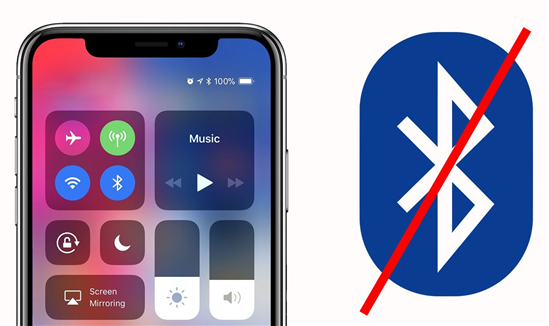
To perform the task, you need to proceed to Settings, then Bluetooth, where you should disable the feature, wait for 10 seconds, before proceeding to re-enable the feature.
2. Delete existing pairing information for the car and establish a new connection
1. Access the Bluetooth settings through Settings.
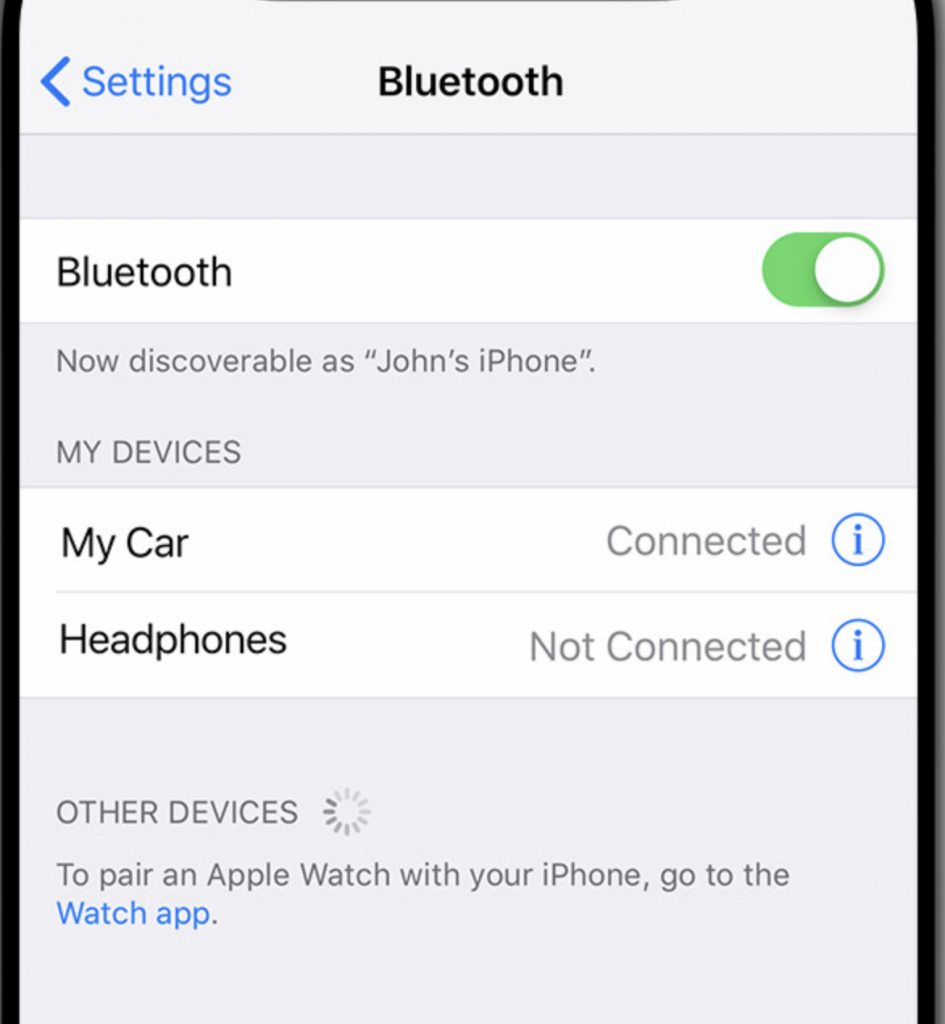
2. Select your car’s name, then tap the “i” button.
3. Choose Forget This Device option.
4. Your iPhone needs to be restarted.
5. The car connection requires you to establish a new connection as a new device.
Audio routing issues frequently get fixed when users delete old pairing information according to Apple Support.
Apple’s iOS 26.3 Update: How to Transfer to Android and Why You Should Update?
3. Restart your iPhone 16
A forced restart will remove all temporary system errors. The Apple Support Community reports that users experienced immediate car audio restoration after they performed a reboot.
4. Check Audio Output Settings
The iPhone establishes a connection with the car system, but it sends audio through the device speaker.
During music playback, users should open Control Center to access the AirPlay system, which requires them to choose their car’s Bluetooth system as their audio output option.
5. Update to the Latest iOS Version
Apple delivers small software updates to solve initial software problems.
You can check for updates by navigating to Settings, then selecting General, followed by Software Updates.
Tech outlets like MacRumors report that Bluetooth connection problems decrease after Apple releases additional iOS updates because they improve Bluetooth connection performance.
6. Reset Network Settings
The following steps will fix your issue:
Go to Settings > General > Transfer or Reset iPhone.
Tap Reset > Reset Network Settings.
The saved Wi-Fi passwords and Bluetooth pairings will be deleted through this process.
7. Check Your Car’s System Update
Some vehicles need firmware updates to maintain compatibility with modern smartphone devices. You can find out whether your infotainment system has an update by visiting your car manufacturer’s website or contacting your dealership.
Is This a Hardware Problem?
The existing solution fails to show any substantial evidence which proves that hardware issues exist in the iPhone 16 series. Most of the reported incidents originate from software issues which users can resolve by following troubleshooting steps or installing software updates.
The Bluetooth audio problems which affect the iPhone 16 create annoying experiences for users during their regular travel times. The problem gets resolved through basic troubleshooting methods according to guidance from Apple official resources and technology experts.