


Armored Core 6 Error 30005 Fix: After starting Armored Core 6 on their PCs, players reported that the game crashed due to Easy Anti-Cheat (EAC) Error 30005, which created a problem that stopped the game from operating correctly. The error which occurs during Easy Anti-Cheat integrity checks has been reported in multiple gaming forums and Steam discussion boards and tech support websites.
What Is Armored Core 6?
FromSoftware developed Armored Core VI: Fires of Rubicon as a mech-based action game which Bandai Namco Entertainment published. The game uses Easy Anti-Cheat software to ensure fair online gameplay and prevent cheating.
What Is Easy Anti-Cheat Error 30005?
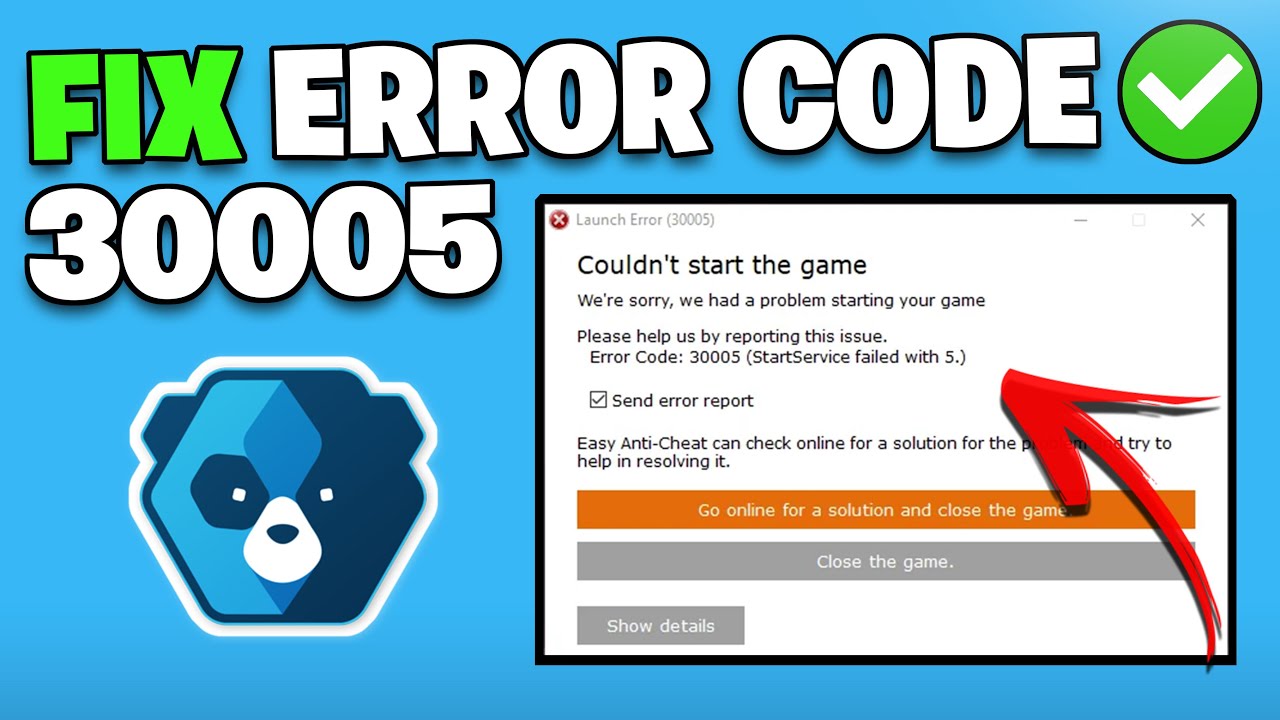
The typical display of Easy Anti-Cheat Error 30005 shows one of these two messages:
“CreateFile failed with 32” or “Error 30005 (StartService failed)”
This error occurs when The Easy Anti-Cheat service is corrupted or blocked according to official Easy Anti-Cheat support documentation and community troubleshooting threads on platforms like Steam Support and Microsoft forums.
“The anti-cheat driver (often labeled EasyAntiCheat.sys) fails to load.”
Antivirus software and Windows Defender block access to game files.
Game files are missing or damaged.
Armored Core 6 Error 30005 Fix
1. Restart Your PC
Perform a full system restart before you start advanced troubleshooting steps. The system needs a restart because temporary service conflicts create Error 30005 which will resolve itself after the system restarts.
2. Repair Easy Anti-Cheat

1. Install Armored Core 6 directly
2. Proceed to the EasyAntiCheat directory.
3. Find the file EasyAntiCheat_EOS_Setup.exe
4. Choose Armored Core VI from the provided options.
5. Click Repair Service.
Once you finish this process, restart your computer and attempt to start the game again.
3. Verify Game Files (Steam Users)
If you purchased the game via Steam:
1. Open Steam.
2. Go to your Library.
3. Right-click Armored Core 6.
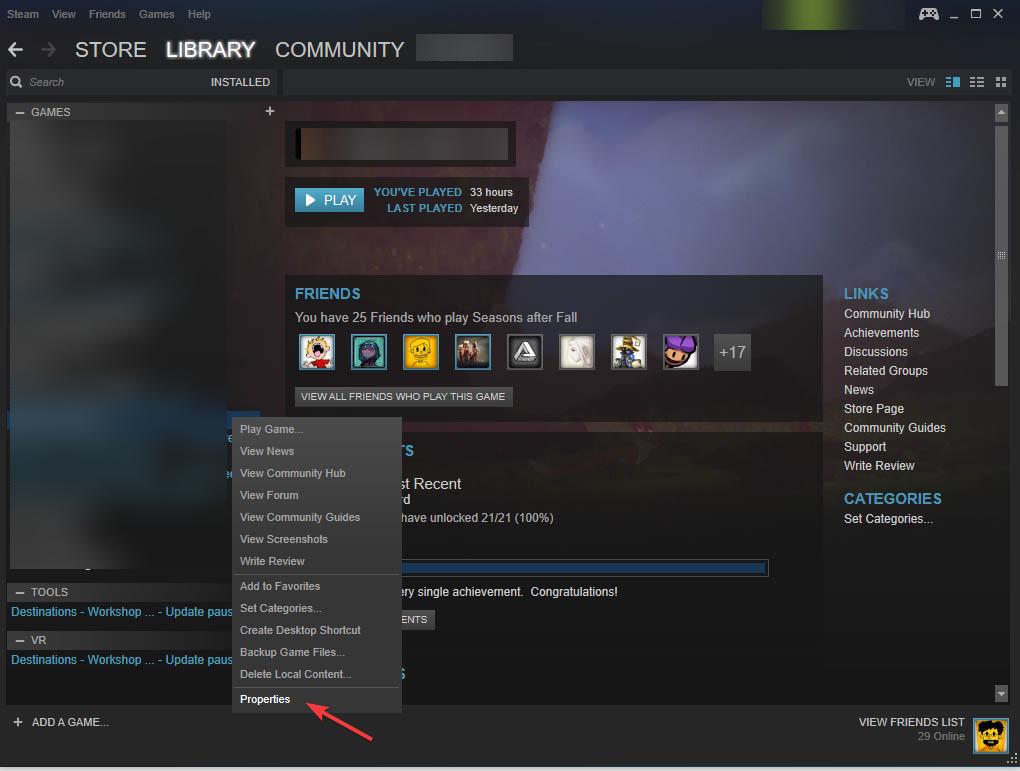
4. Select Properties > Installed Files.
5. Click Verify integrity of game files.
Steam will automatically redownload any damaged or missing files.
4. Antivirus program and Windows Defender installation.
The security software blocks Easy Anti-Cheat software.
1. The Armored Core 6 directory needs to be added to your antivirus application as an exclusion.
2. You need to check whether EasyAntiCheat.sys file exists in your system quarantine.
3. You should turn off your antivirus protection for the purpose of conducting tests.
4. The protection should be turned back on after you have verified that the problem has been resolved.
5. Remove EasyAntiCheat.sys File from the system.
1. Access the following directory:
- C:\Program Files (x86)\EasyAntiCheat
2. The file EasyAntiCheat.sys needs to be found.
3. You need to delete the file.
4. Restart your computer.
5. The game will automatically install EAC required files when you launch it.
6. Run the Game as Administrator
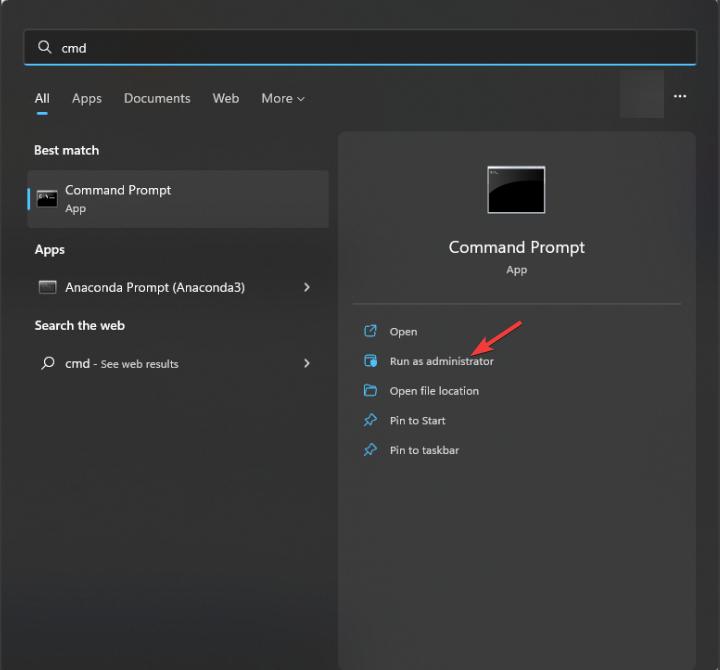
You should right-click on the game executable file and select Run as Administrator option. The anti-cheat service requires appropriate permissions which this method provides.
7. Reinstall the Game (Last Resort)
The solution to your problem requires these two steps which include:
- You need to completely remove Armored Core 6 from your system.
- You need to remove all remaining files.
- You need to install the game again through Steam.
PUBG Mobile Login Issue: Players Unable to Access Game via X Accounts, Fix Underway
Why This Error Happens?
Support documentation together with gaming analysts declare that Error 30005 occurs when Easy Anti-Cheat driver conflicts with other running services rather than a game bug. Anti-cheat systems function at deep system levels which means that even small permission problems or system damage will prevent the game from starting up.
The evidence shows no connection between Error 30005 and account bans or cheating allegations against players. The game encounter results in a technical failure which prevents players from launching the game.