


iOS 26 Release Date: Apple has finally unveiled its next major iOS release, iOS 26, at the WWDC 2025 event. Yes, it is called iOS 26 and not iOS 19. Not just the name, Apple has also revamped the UI which looks good in dark mode but not in light mode. The first developer beta of iOS 26 is now available for testing, which lets you experience the next major iOS release early. Here’s a deep dive into everything you need to know about its release, new features, and availability.
iOS 26 Release Date
Apple is expected to launch the final version of iOS 26 on September 16, 2025. It usually comes a Tuesday after the annual iPhone event.
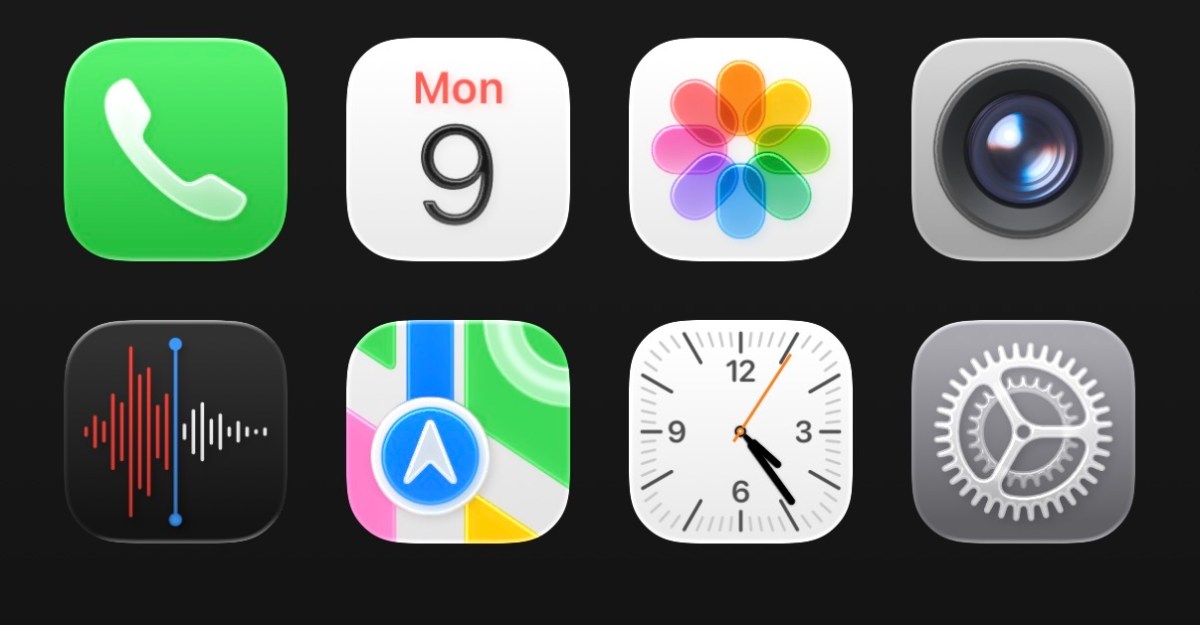
Apple has revealed a change in how it used to label its iOS versions. iOS will now be labeled according to the calendar year that it will be released – like how car companies label their models. So the release this year is called iOS 26. This change will also apply to macOS, iPadOS, and watchOS. iOS 26 brings a new glass-like user interface, softer icons, rounded edges, and updated system apps. This is the first substantial redesign since iOS 7.
Apple iOS 18 Release: Get to know about all exciting features
How to activate?
The iOS 26 Developer Beta 1 is available immediately after today’s announcement. Public Beta 1 is expected on July 15, 2025. To activate you can follow below mentioned steps:
1. Open Settings on your iOS 26-eligible iPhone.
2. Navigate to General > Software Update > Beta Updates.
3. Here, select iOS 26 Developer Beta.

4. Go back to Software Update and you’ll have the iOS 26 update ready to download.
5. Backup your data and then download and install the iOS 26 developer beta on your device.
iOS 26 Updated Features

Brand new “Liquid Glass” design: An entirely new look on iOS across the board with translucent panels, glossy icons, and a desktop/visionOS-style menus.
Phone & Calls: By unifying Phone, Messages, and FaceTime with a single view of favorites, recents, and voicemail, Apple has created a unified interface. Call Screening allows unknown numbers to be handled through AI, which acts as a robot filter and Hold Assist will alert you when, rather than a random person answering, it is someone who is actually human.
Messages: Improvements include, polls, personalized chat backgrounds, ability to see typing indicators in group chats. Communication via group Apple Cash payments which is native.
Photos: Album and Library tab layout has been restored in response to user expectation and feedback. You can also experience Spatial (3D parallax) effect on Lock Screen displays.
Camera & Safari: Easy swiping feature to enhance Safari experience. You may also see browsing that fills the screen with the last of the address bar, which is translucent.
Apple Music: AI-based DJ-style crossfades between songs that may have also been seen. There’s also lyrics translation and possibly pronunciation guides coming.
Best Features for Kids: iOS 26 also aims at improving better actual controls for Parents across Communication Limits, Communication Safety, the App Store now requires actual parental approvals to confirm in order to download apps. Any potentially sensitive Content shared during FaceTime calls will now appear blurred.
Battery Health & Performance: Dynamically scales performance to optimize battery life by scaling down the display or slowing down processor by lowering power requirements. You will have some improved insights for battery in longer measures that can give app daily usage data.
Apple Intelligence & AI Upgrades
Live Translation: Real-time interpretation in Phone, FaceTime, Messages, and even Music lyrics.
Genmoji: Custom emojis generated with AI.
Image Playground: Integrated with ChatGPT for AI generated chat backgrounds.
Visual Intelligence: Screen-content recognition allowing for shopping, scheduling, or contextual ChatGPT search queries similar to Google Lens.
iOS 26: All Supported iPhones
- iPhone 11
- iPhone 11 Pro
- iPhone 11 Pro Max
- iPhone 12
- iPhone 12 Mini
- iPhone 12 Pro
- iPhone 12 Pro Max
- iPhone 13
- iPhone 13 Mini
- iPhone13 Pro
- iPhone 13 Pro Max
- iPhone 14
- iPhone 14 Plus
- iPhone 14 Pro
- iPhone 14 Pro Max
- iPhone 15
- iPhone 15 Plus
- iPhone 15 Pro
- iPhone 15 Pro Max
- iPhone 16
- iPhone 16e
- iPhone 16 Plus
- iPhone 16 Pro
- iPhone 16 Pro Max
- iPhone SE 2
- iPhone SE 3
iPadOS 26: All Supported iPads
- iPad 10
- iPad 11
- iPad 8
- iPad 9
- iPad Air 11-inch M2
- iPad Air 11-inch M3
- iPad Air 13-inch M2
- iPad Air 13-inch M3
- iPad Air 3rd gen
- iPad Air 4th gen
- iPad Air 5th gen
- iPad Mini 5th gen
- iPad Mini 6th gen
- iPad Mini 7th gen
- iPad Pro 11-inch A12X
- iPad Pro 11-inch A12Z
- iPad Pro 11-inch M1
- iPad Pro 11-inch M2
- iPad Pro 11-inch M4
- iPad Pro 12.9 inch A12X
- iPad Pro 12.9 inch A12Z
- iPad Pro 12.9 inch M1
- iPad Pro 12.9 inch M2
- iPad Pro 13-inch M4
You can expect the main aesthetic changes: transparency, depth, and dynamic blending between all areas of menus, notifications, and apps. If you’re an Apple enthusiast and don’t want to miss out on testing the new iOs 26, you can easily get and install it on your device following these steps. Be mindful of the risks of using a pre-release build before using the installed update.